



Guide: How to add your dietary requirement for the dinner party
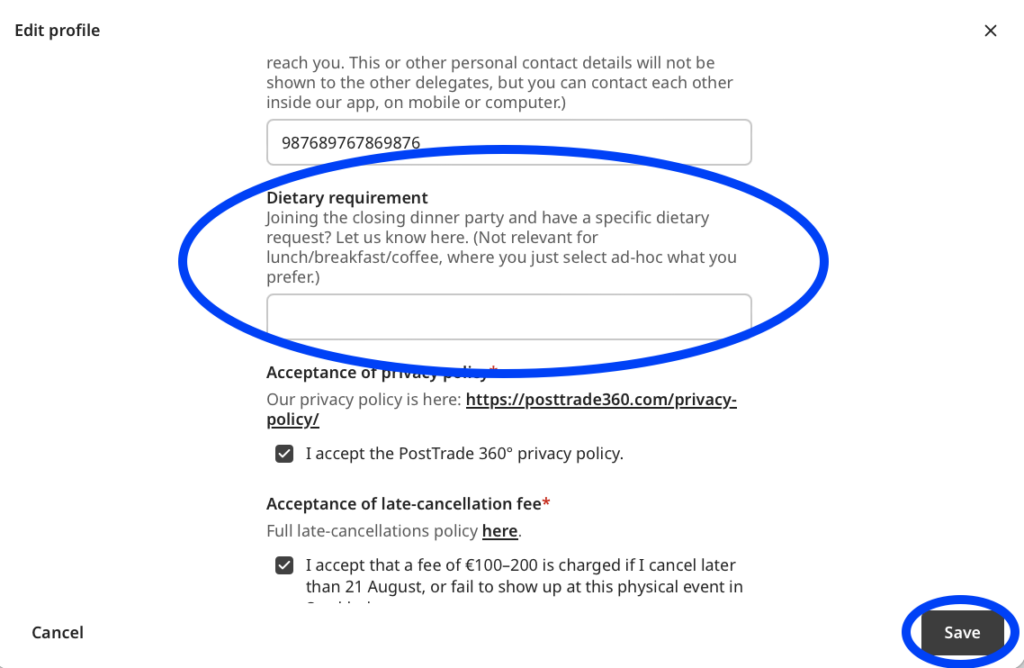
This guide was originally written in preparation for our event PostTrade 360° Nordic 2024, so the site address could be different but you will get the point. All you do is add your special dietary request in your delegate profile, like this. (You can always get to this dashboard page via your personal circle icon at the top right.)
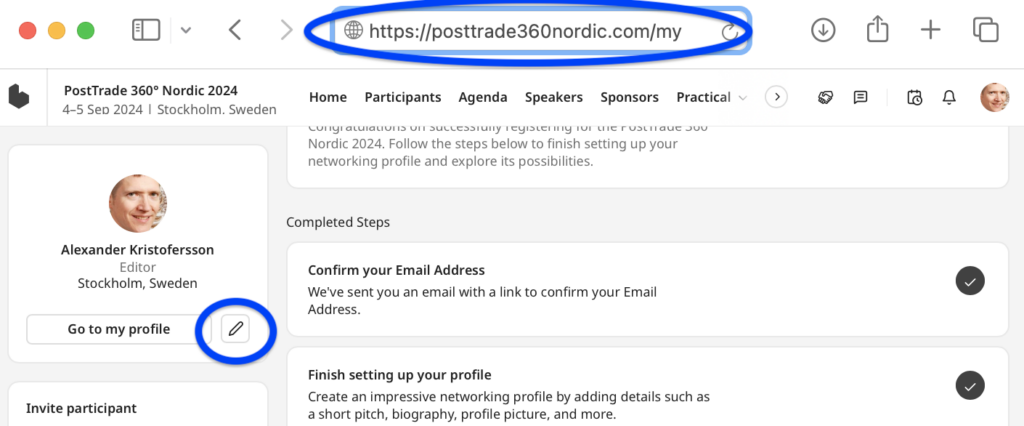
• Step 1. Go to your dashboard.
For Treasury 360° Nordic, that’s https://treasury360nordic.com/my.
For Treasury 360° Europe, that’s https://treasury360europe.com/my.
For PostTrade 360°, that’s https://event.posttrade360.com/my.
Click the pencil icon to edit your profile.
• Step 2. On your profile edit page, scroll down to the dietary requirements field, fill it in, then click ‘Save’. Done!